
Remember when every new product was called ‘smart’ something? That’s where we are with AI right now, and it isn’t going away any time soon!
Whilst some AI based features are undoubtedly a gimmick and will fade into the background, generative AI assistants are significant time savers and have increased my productivity massively. I use at least one AI assistant every day, and I’ve noticed my day-to-day work moving more towards thinking and designing rather than carrying out, let’s say, less fun tasks.
This does come with a caution, however. Remember to treat your generative AI of choice like your junior assistant who can crack on with the boring tasks so that you can free up your time to think, and you’ll get far better results. You absolutely should still expect to remain the expert in your field, otherwise you can easily fall into hallucinations that lead you down dark paths to low quality outputs.
Anyway, here are three ways that I use prompting in the software development lifecycle to save time. I’ve added the example responses as screenshots because I don’t want this article to flag up as AI generated!
Terminology
One of our biggest challenges as software consultants is that we dip into multiple industries in any given week, and you are expected to understand their world quite quickly. You can alleviate the risk of being alienated by industry specific terminology by working with your AI assistant to dig a little deeper into processes. This is something I have always done before I go into workshops, and now I can have all of the answers come to me in one page, rather than having to spend hours Googling and summarising in a separate document.
Prompt:
I am a consultant that is about to work on a project within the car industry. Provide me with a table of what you consider to be the top 25 acronyms and initialisms that are specific, but universal to the car industry, so that I can familiarise myself with terms that stakeholders may use within the workshop. You should provide the columns “Abbreviation”, “Full Name”, and “Description”.
Response:

The time taken to craft this prompt and to receive the outputs was around 2 minutes, and whilst I’m unlikely to read through the material immediately, it’ll be a great crib sheet to have in the workshop on a second monitor whilst stakeholders talk about their processes.
Business Processes & Pain Points
Speaking of processes, I may want to understand how stakeholders might work within a particular environment so that I’m not walking into the workshop completely blind. I don’t expect the AI assistant to do the work for me, but it’s giving me a chance to think about the possible challenges that stakeholders may raise during our meeting, so that I can prepare potential answers for how the proposed technology can help them.
Prompt:
I understand that most car dealerships follow a typical sales cycle from lead, to sale, to aftercare. Tell me about the different stakeholders who would be involved in those processes and explain what challenges they may be facing if their solution today doesn’t meet the demands of car trade in the modern world. Provide your answers as bulleted points under each of the stakeholder’s heading.
Response:
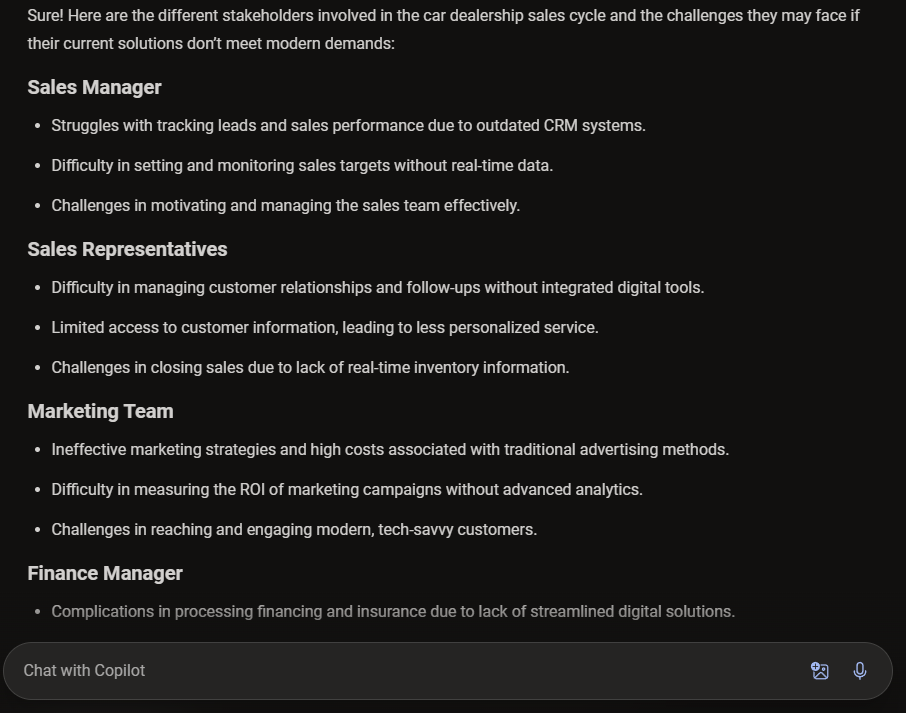
Unlike the previous prompt, I’m likely to study this one in detail prior to the workshop, perhaps mapping it to potential technologies and other notes in case these thoughts come up in the workshop. You’ll notice that a lot of the responses aren’t actually specific to the industry, and so you may continue to iterate with this prompt to find something more aligned to your research if this doesn’t suffice.
Unfamiliar Business Systems
Fast forward to after the workshop, and I have some further questions for my AI assistant to understand how everything currently fits together. Stakeholders see us as technical, and so they often will expect us to have heard of their current systems! This isn’t always the case, and so prompts such as the one below can be extremely handy.
Prompt:
In the workshop, the Marketing Team said that they used Microsoft Access as a database to store marketing leads. Explain like I’m 5 what Microsoft Access can achieve, and why it may have been used by the business in the past.
Response:
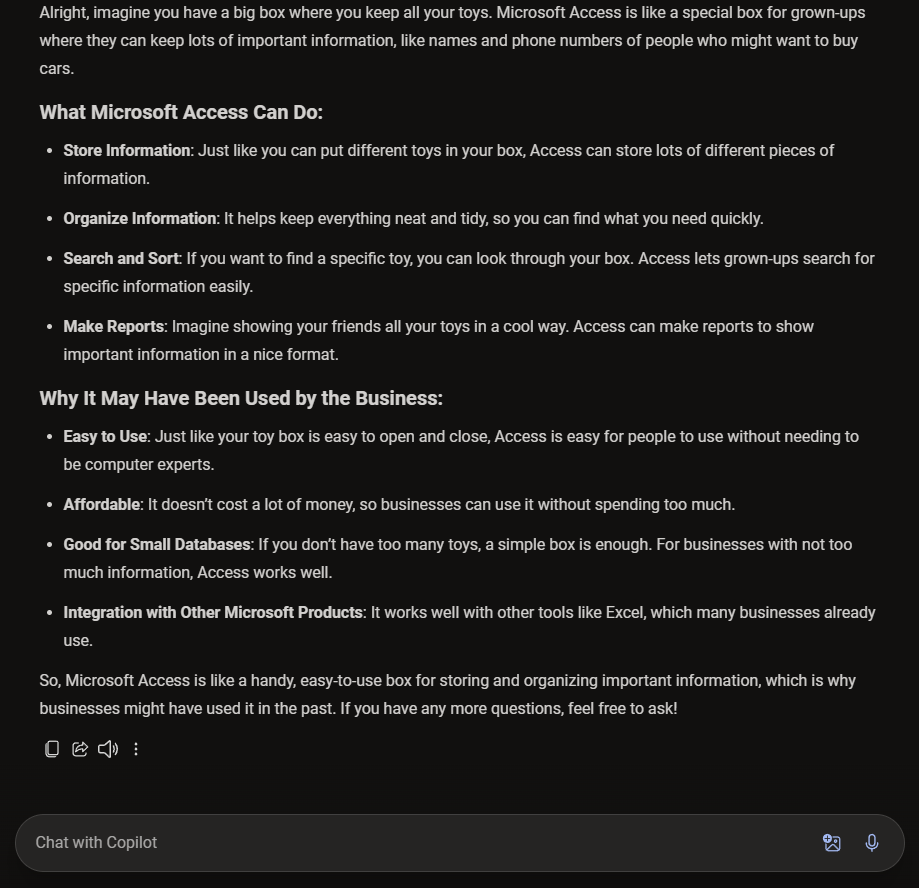
As you can see with the results above, the tone of response has changed significantly. There are more descriptive words and the language is far simpler. This hasn’t quite answered all of my questions, but it’s certainly saved me some time and created more food for thought.
Conclusion
As you can see, generative AI capabilities can be extremely useful away from the flashy gimmicks that are advertised regularly, and although I haven’t calculated it scientifically, I’d say that I probably save anywhere between 4-8 hours per week now by using AI assistants in almost every activity at work. Before I go, here are some tricks I’ve learned along the way to create better outputs:
- Explain your expertise. Even if you’re simply explaining that you’re a consultant in a particular field, this will help the assistant to refine its tone, complexity in language, and its length or brevity.
- Don’t ask, just state. When I first started prompting, I noticed that when I asked for an answer, the AI assistant was effectively given a choice about what it can provide me and would sometimes deviate. I looked at this in more detail and many resources out there suggest that you should dictate for this exact reason.
- Outline your expectations on output. Honestly, I hate really long worded answers from AI assistants. If I want a short and sharp response then I often ask my AI assistant to provide results in a table and then I specify the columns that I expect to see.
- If you don’t trust it, ask for justification! Given what I’ve said about making sure that you remain the expert, ask the AI assistant to show it’s workings when providing you an answer. This can be a great indicator into whether the AI is hallucinating or not, and you can make the judgement call on whether it’s a good answer or not.
 AaronKGumbs